
Product comparison page
When the agent recommends products, it offers a Compare products control. By default the comparison opens inside the widget. Set display.productCompareUrl to send people to a comparison page you host instead, so it sits inside your own header, footer, consent banner, and analytics.
This works with every mode, because productCompareUrl sits on display alongside that mode's own properties. The page you host mounts the widget with agent: 'product-selection' and needs no code of its own — see Continue on a page you host.
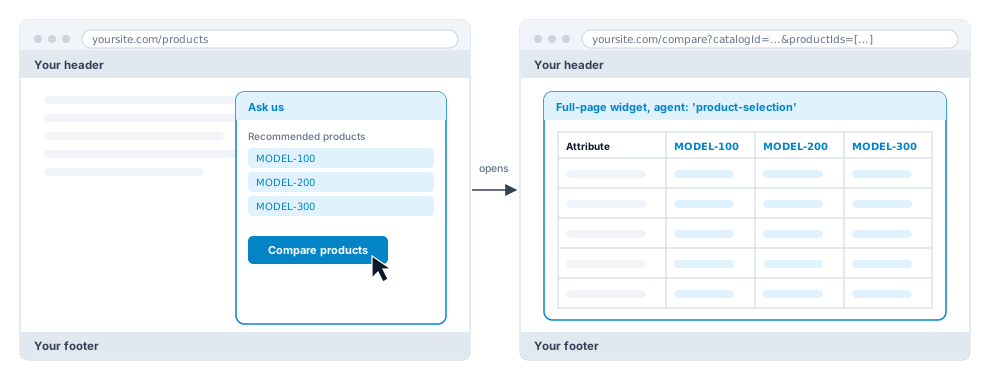
Example
<script src="https://cloud.rapidflare.ai/storage/v1/object/public/rapidflare-embed-sdk/latest/agent.js"></script>
<script>
    window.rapidflare.init({
        apiKey: 'YOUR_API_KEY',
        display: {
            type: 'floating-launcher',
            position: 'bottom-right',
            productCompareUrl: 'https://yoursite.com/compare'
        }
    });
</script>
Comparison page
Same host and path as productCompareUrl, mounted as described in Continue on a page you host. If productCompareUrl is not an absolute http(s) URL it is ignored and the comparison opens inside the widget.